
GarageFlow POS · UAE workshops
Garage inventory — SKU, barcode and stock on sale
Garage inventory with SKU/barcode products and stock deduction on every POS sale. Keep Dubai and Sharjah branches accurate without Excel.
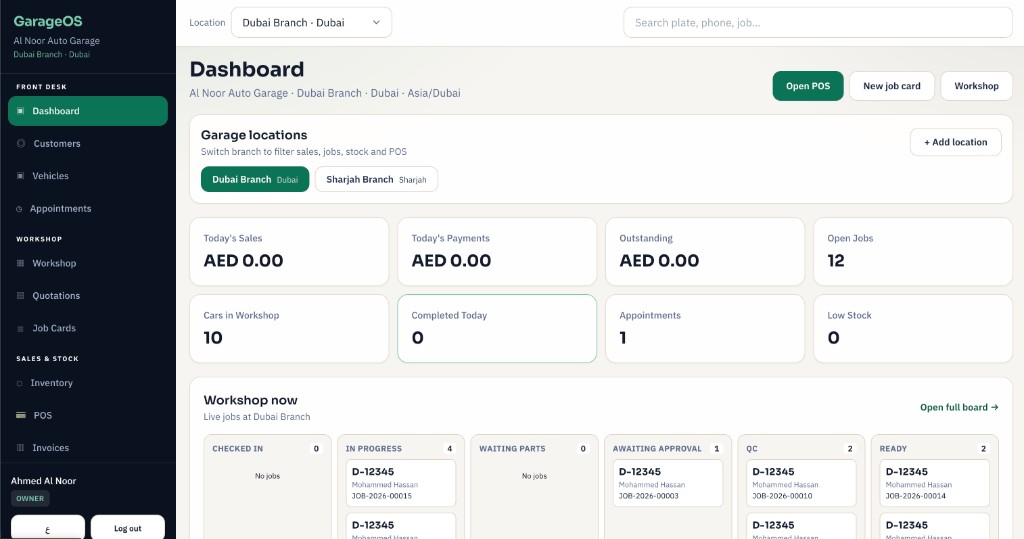
Parts with cost, sell price and barcode — search or scan at the till.
See POS →Front desk sees what is running out before technicians idle.
Garage OS →Stock that moves with every POS sale
When a cashier sells a filter, pad or oil on Counter POS — or charges parts from an open job card — stock must drop immediately. GarageFlow POS inventory links your SKU and barcode catalogue to both POS flows so month-end counts match what left the shelf.
UAE workshops waste hours on Excel and “guess the bin”. With GarageFlow POS, front desks see live quantities, low-stock warnings and AED cost/sell prices without switching apps.
- ✓SKU / barcode product catalogue with AED pricing
- ✓Stock deducts automatically on Counter POS and Job POS
- ✓Low-stock visibility before the bay waits on parts
- ✓Labour and parts on the same tax invoice with 5% VAT
What inventory does in GarageFlow POS
Inventory is not a separate spreadsheet — it is wired into the till and the job card. Cashiers search or scan, advisors add parts to open jobs, and owners see what is moving across branches.
- ✓Create products with SKU, barcode, cost and sell price in AED
- ✓Search / scan at Counter POS and Job POS
- ✓Automatic stock deduction when a sale completes
- ✓Low-stock signals so you reorder before the bay stalls
- ✓Same stock rules on laptop, tablet and mobile POS
- ✓Parts and labour lines share one 5% VAT tax invoice
Multi-branch parts without confusion
Dubai and Sharjah locations often share a brand but not a warehouse. GarageFlow POS keeps inventory awareness per branch so one shop does not sell stock that sits in another.
Owners get clearer purchase decisions; cashiers stop promising parts that are not on the local shelf.
- ✓Branch-aware stock for multi-location networks
- ✓Sell from the right location’s on-hand quantity
- ✓Fewer disputes at month-end stocktake
How a busy day uses stock
Morning: check low-stock filters and pads. Midday: Job POS pulls parts onto an open plate. Evening: every paid invoice has already updated quantities — so the next shift starts honest.
That is the functionality UAE garages need: catalogue → sell → deduct → reorder — without leaving GarageFlow POS.